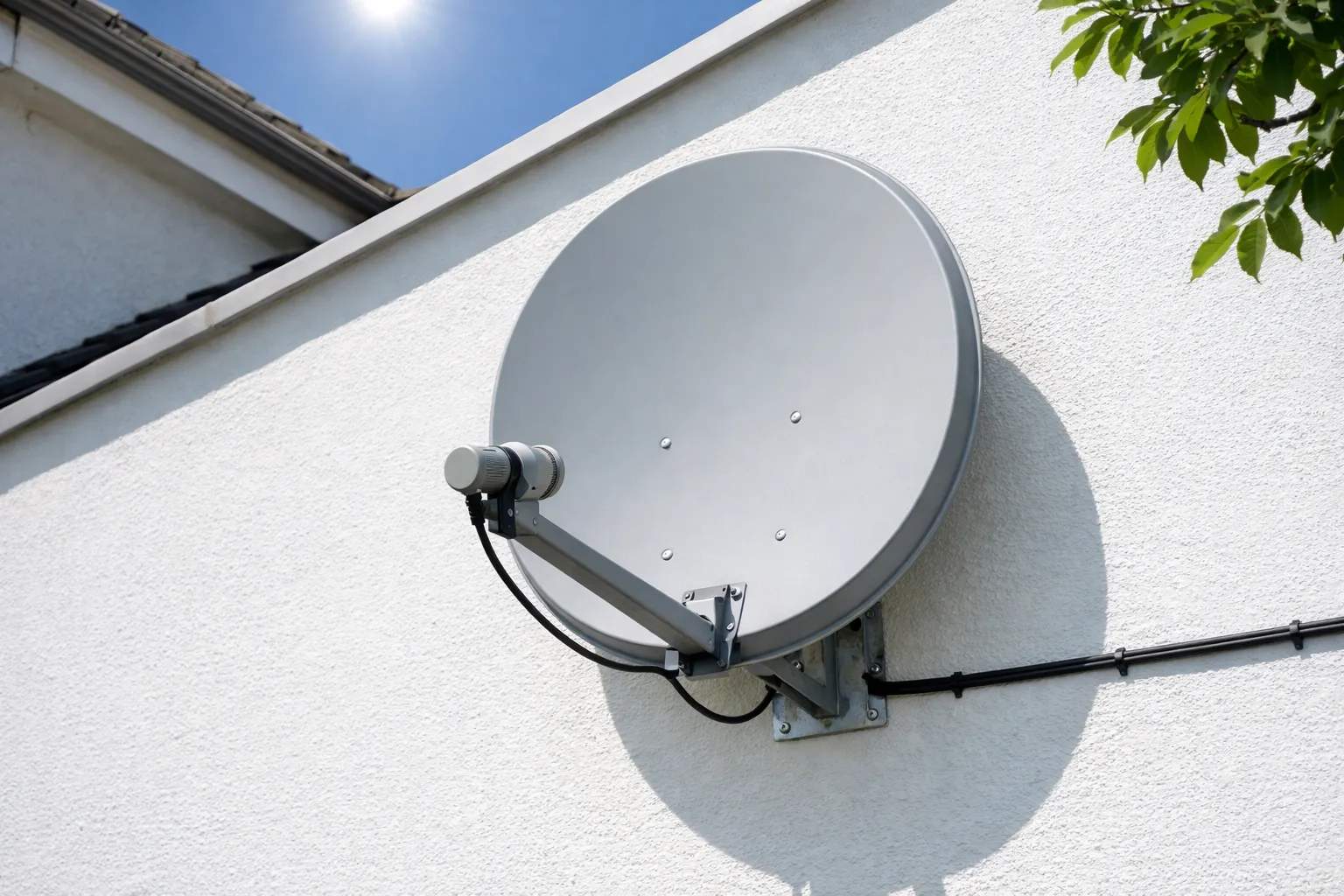
This DStv installation guide starts with DStv's own rule: installations sold with a voucher, deal or decoder are done by DStv Accredited Installers. DStv recommends an 80cm dish, with a single LNB for an HD Single View decoder and a DStv Smart LNB for any Explora. A standard installation covers one TV point (HD) or two (Explora or Ultra), activation, a 3-month workmanship warranty and 12 months on equipment.
We sell Vivimate, a general IPTV subscription that doesn't carry DStv or SuperSport, and we don't install dishes. Everything below comes from DStv's South African help pages, its accredited installation page and its decoder guides, read on November 8, 2026and linked. DStv's pages show no installation prices and no do-it-yourself alignment steps, so this page gives neither.
Who installs DStv
DStv's accredited installation page is blunt: "Installations can only be done by DStv Accredited Installers." It applies to installation vouchers sold at selected retailers, Price Lock deals that include installation, and decoders sold with installation at retailers, service centres or agencies. The same page links to installation tracking and says you can schedule an appointment. DStv's FAQ on where to find an accredited installer points back to that page, and its decoder FAQs recommend an accredited installer for every installation.
The dish, LNB and decoder DStv recommends
Every DStv setup is the same chain: a dish, an LNB on its arm, a cable into the decoder and a cable to the TV. DStv's Smart LNB FAQ explains that the LNB is the receiving "arm" on the dish that turns the satellite signal into one the decoder understands.
| Decoder | Dish | LNB | Standard install |
|---|---|---|---|
| DStv HD Single View | 80cm | Single LNB (a DStv Smart LNB if linked in XtraView) | One TV point |
| DStv Explora (2A, 3A, 3B) | 80cm | DStv Smart LNB | Two TV points |
| DStv Explora Ultra | 80cm | DStv Smart LNB | Two TV points |
- HD Single View: DStv's recommended installation is a single LNB, and it says MultiChoice recommends an 80cm dish for all installations. The decoder also works with a twin, quad, UniCable or DStv Smart LNB. A Smart LNB on an HD install costs extra.
- Explora: the recommended installation is an 80cm dish with a DStv Smart LNB.
- Explora Ultra: DStv's Ultra installation FAQ says the recommendation is the same for all Explora models, and someone moving from an older Explora needs no changes: unplug the old box and plug in the Ultra, using the HDMI cable and power supply packed with it.
DStv says the Smart LNB isn't suitable for complexes and apartments. If you live in a complex, share a dish, link decoders in XtraView or feed several TVs, DStv says to speak to an accredited installer first. Our DStv Explora guide covers the decoder itself.
What a standard installation includes
On a voucher or contract, DStv's accredited installation page lists the following, and these figures are the ones in the diagram:
That's installation to one TV point for an HD Single View decoder or two TV points for an Explora or Ultra, activation of your DStv services, a basic demonstration, a 3-month warranty on workmanship and a 12-month warranty on equipment supplied. DStv warns there may be added costs for extra travel, cabling or amplification, and connecting the decoder to more than 1 TV isn't included. For an Explora, DStv's cables FAQ says the installer supplies the cabling for a single-point standard installation and that you should get a view of any extra cost before work starts.
Connecting the decoder and activating it
These steps are what DStv's guides describe, so you know what the installer is doing and what to have ready.
- Dish cable in. On the DStv HD decoder (model 6S), DStv's quick start guide from December 2020 says the cable from the dish goes into "LNB in". On an Explora, DStv Mauritius's Explora specifications page says the RG6 cable from the dish goes into the port marked "Unicable in".
- TV and power. HDMI goes to an HD TV; the 6S guide lists an AV out for a non-HD TV. Then connect the power supply.
- Run the installation wizard. DStv's 2014 Explora quick guide says to wait for all three tuners to show signal before pressing OK. Catch Up and BoxOffice content then starts downloading, so the lists are empty at first.
- Activate.The 6S guide says a new customer needs personal details, the decoder's serial number and IUC or smartcard number (on the label under the decoder) and the package wanted. An existing customer needs the IUC or smartcard number and the package.
If a channel still won't open after activation, our DStv error codes page goes through the messages, and the DStv remote guide covers the remote. One warning from DStv's HD FAQ if you already have XtraView: don't disconnect the cable linking two decoders until you have phoned MultiChoice and asked for the XtraView link to be broken.
Packages, prices and the no-dish route
DStv's package article dated 8 September 2026 answers "Do I need a new decoder?" with "No" for the packages that started on 17 September 2026. Monthly prices are on our DStv packages and prices page, and our DStv overview, decoder or DStv Stream compares the two. If a dish isn't possible where you live, DStv Stream needs none; see watching DStv without a dish.
Becoming an accredited installer
DStv's FAQ on how to become an accredited installer says applicants need staff with MultiChoice Level 1 training, their own tools and a commercial utility van, and must complete at least five DStv installations before the accreditation panel validates them. Applications go to CSQA@multichoice.co.za. DStv says Gauteng is a saturated region where new accreditations aren't being granted.
Where Vivimate fits
Vivimate has nothing to do with a DStv installation. It's a separate IPTV subscription with 55,000+live channels of its own, delivered over the internet, and it carries no DStv or SuperSport channels. If you're in the US and want TV for other viewing, the free 24-hour IPTV trial shows the list first. Plans cost $19.99 for 1 month, $29.99 for 3 months, $39.99 for 6 months or $69.99 for 12 months plus 2 free, prepaid for one device, with no contract, and a first purchase has a 7-day money-back guarantee when a service problem you report on WhatsApp can't be fixed.
What we read, and what we couldn't
- DStv: DStv Accredited Installation. Read November 8, 2026.
- DStv help: Where do I find a DStv Accredited Installer? and How do I become an Accredited Installer? Read November 8, 2026.
- DStv help, recommended installation: HD Single View, Explora, Explora Ultra; Explora cables. Read November 8, 2026.
- DStv help, peripherals: What is a DStv Smart LNB? and why HD installs don't include one. Read November 8, 2026.
- DStv PDFs: DStv HD Decoder Quick Start Guide (December 2020) and DStv Explora Quick Guide (created November 2014). Read November 8, 2026.
- DStv news: New DStv Packages, dated 8 September 2026. Read November 8, 2026.
- Couldn't read or find: installation or voucher prices, DStv's online store (only its title loaded), and any DStv page on aligning a dish yourself.
Frequently asked questions
Can I install DStv myself?
DStv's accredited installation page says installations can only be done by DStv Accredited Installers, and that covers installation vouchers, Price Lock deals and decoders sold with installation. DStv's FAQs recommend an accredited installer for all installations. We found no do-it-yourself dish alignment steps on DStv's site, so we give none.
What size dish does DStv recommend?
An 80cm satellite dish. DStv's FAQ for the HD Single View decoder says MultiChoice recommends an 80cm dish for all installations, and its Explora and Explora Ultra FAQs pair the 80cm dish with a DStv Smart LNB.
What does a DStv installation include?
On a voucher or contract, DStv lists installation to one TV point for an HD Single View decoder or two TV points for an Explora or Ultra, activation of your services, a basic demonstration, a 3-month warranty on workmanship and a 12-month warranty on equipment supplied. Travel, extra cabling or amplification may cost more.
How much does a DStv installation cost?
DStv's accredited installation page shows no price, and we didn't find a current one on DStv's site, so we don't quote one. Ask the installer for a figure before work starts; DStv says extra work beyond a standard installation is payable by the customer.
Do I need a new decoder or installation for the new DStv packages?
No. DStv's article on the packages that started on 17 September 2026 says you don't need a new decoder, and customers are moved to the new packages automatically. Package prices are on our DStv packages and prices page.
Stream Everything with Vivimate
55,000+ live channels · Up to 4K UHD · No contract · From $19.99/month