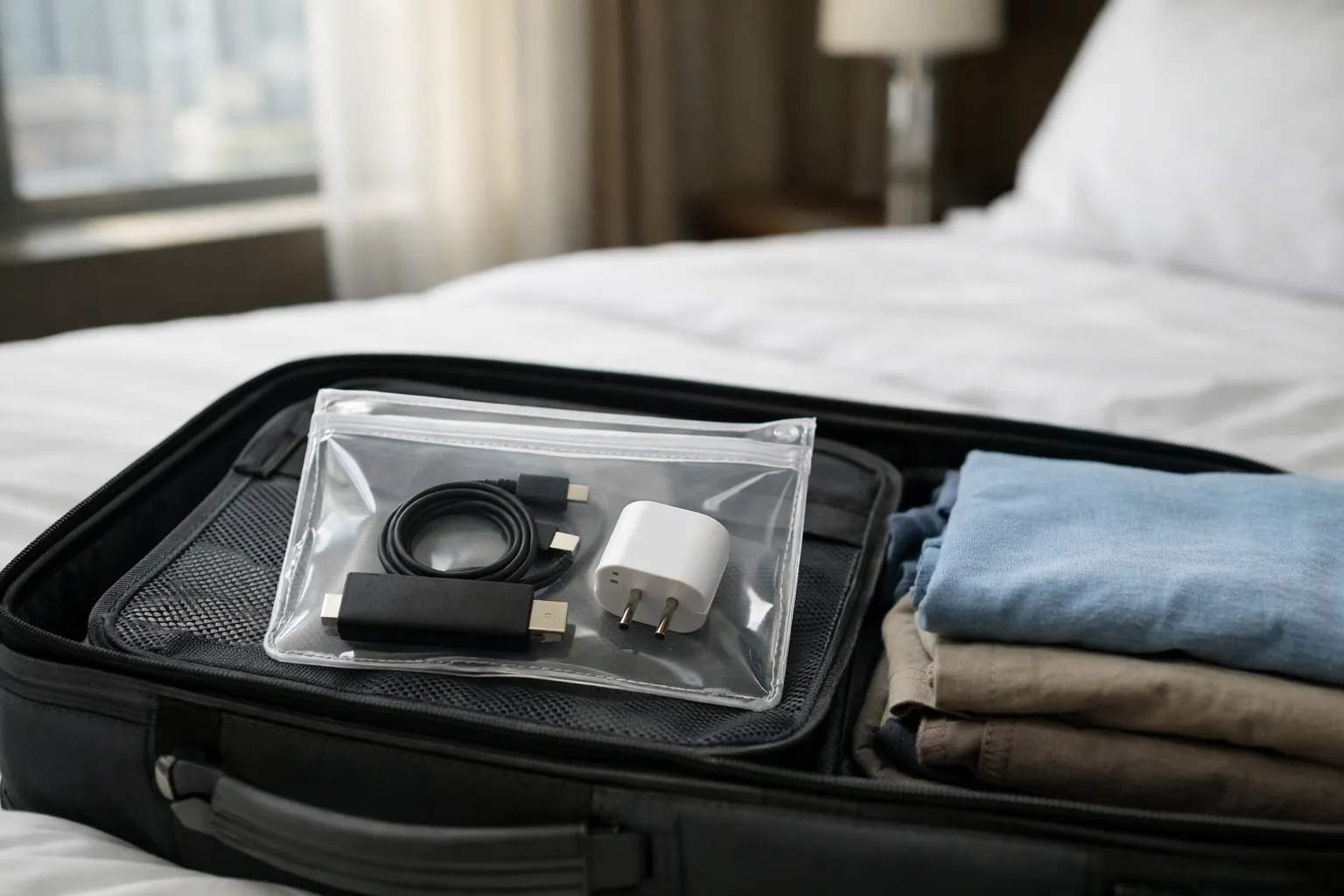
To watch your channels abroad with Vivimate, take a device you've already set up and sign in on the internet connection where you're staying. The login works over the internet from another country, with the same plan and device limit as at home. Hotel Wi-Fi may need a sign-in page and can be slow, so test the speed on arrival. Check the local law where you are, and remember family streams at home count toward your limit.
We sell Vivimate, an IPTV subscription, so read this knowing that. We didn't test the service from any particular country for this page, and the travel habits below are general advice, not test results. It is not legal advice either. We give no advice on changing your location or getting around a geo-block.
Does a Vivimate login work in another country?
Yes. IPTV is delivered over the internet, so your player app connects to Vivimate from a hotel, a rented apartment or a relative's house abroad the same way it does from your living room. You don't need a new login or a different plan. What changes is everything around the login: the network you're on, the device you brought, the law where you are, and who else is watching on your account back home.
Your other subscriptions are a separate matter. Streaming services set their own travel rules because they buy rights country by country, and some don't play outside the US at all. Check each one's help pages before you go rather than assuming they behave like your Vivimate login.
Check the local law where you are
When you travel, the law of the country you're in normally applies to you, and it can be stricter than at home. Some countries restrict certain apps, services or content. IPTV as a technology is legal, but whether a seller is lawful depends on the rights it holds, and we don't publish the rights agreements behind our channels. Our guide to IPTV and US law covers the home side. For your destination, check before you go, and ask a local lawyer if it matters to you.
Why we don't suggest a VPN to change location
Many travel guides tell you to use a VPN to look as if you're back home. We don't. A VPN changes where your traffic appears to come from, not who holds the rights to a program, and other services can treat it as a breach of their terms. A Vivimate login doesn't need one abroad. If you use a VPN on hotel Wi-Fi for privacy, Vivimate's servers accept VPN connections, and choose a server in the country you're in to keep delay low. If streams fail with it on, see why IPTV stops working with a VPN.
Which device to pack
Bring a device you've already set up, because a hotel TV often won't let you install apps. These are the apps we suggest for a Vivimate login on each device.
| Device | App | Travel notes |
|---|---|---|
| Fire TV Stick | TiviMate or IPTV Smarters | Needs a free HDMI port on the room's TV, a power outlet and its own remote |
| iPhone or iPad | UHF or IPTVX | Nothing extra to carry; a small screen |
| Android phone or tablet | XCIPTV PLAYER or Televizo | Nothing extra to carry; watch the data use on a hotspot |
| Laptop | Windows: IPTV Smarters or VLC. Mac: UHF, IPTVX or VLC | An HDMI cable turns the room's TV into its screen |
A stick is the closest thing to your home setup on a big screen. Pack its power adapter, check the voltage range printed on it, and bring a plug adapter for the sockets where you're going. A short HDMI extension helps when the TV's ports face the wall. Phones and tablets are simpler but smaller, and a laptop works as a screen on its own or plugged into the room's TV.
Hotel Wi-Fi and other networks
- The sign-in page. Many hotel networks ask you to accept terms in a browser before anything connects. A TV stick may not show that page. Ask the front desk whether devices without a browser can be added, and whether the room has a wired port.
- Shared speed. Every guest shares the connection, so it's slowest in the evening. Run a speed test on the device itself when you arrive.
- Blocked casting. Some networks stop devices on them talking to each other, so casting from your phone to the room's TV may fail. A stick in the TV avoids that.
- Mobile data as a fallback. A phone hotspot works, but video uses a lot of data. Check your carrier's roaming allowance and charges before you rely on it.
How much speed you need abroad
The numbers don't change when you cross a border. We suggest 10 Mbps per stream for HD, 20 Mbps for Full HD and 30 Mbps for 4K, measured on the device you watch on, at the hour you watch.
If the room's connection falls short, lower the quality in the player rather than fighting it, since HD at 10 Mbps is far easier to hold than 4K at 30. Time zones are the other catch: a show that airs at 8 pm at home may land in the middle of your night. On channels that support it, 7-day catch-up lets you watch it the next day instead. Our page on the internet speed IPTV needs explains how to measure a line properly.
Your family at home still counts
Every Vivimate plan covers 1 to 4 devices at once, and the limit counts streams playing at the same moment, wherever they are. Your hotel room and the TV back home draw from the same allowance. On a 2-device plan, if two screens are already playing at home, a 3rd stream from your room is refused, usually with a vague error rather than a clear message.
Before you leave, agree who watches when, or move to a plan with enough devices. The home line has its own sums: two 4K TVs playing at once need 60 Mbps, and two Full HD streams need 40 Mbps. Our page on how IPTV connections are counted has the details.
A checklist before you leave
- Install the player and sign in at home, on a network you trust, and play a channel to confirm it works.
- Keep your server URL, username and password in the WhatsApp chat where they arrived, so you can paste them again if an app asks.
- Check your plan's end date covers the whole trip. Plans are prepaid and stop at the end of the term.
- Count the screens that will play at home while you're away.
- Pack the device, its power adapter, a plug adapter and an HDMI cable.
- Check the local law where you're going, and your phone's roaming terms.
Using Vivimate while you travel
If something doesn't load abroad, message support on WhatsApp with the device, the app and what you see. A person replies 24/7, whatever your time zone. New to Vivimate? Try the free 24-hour IPTV trial with no card taken before you go, ideally on the devices you'll pack. Plans cost $19.99 for 1 month, $29.99 for 3 months, $39.99 for 6 months or $69.99 for 12 months plus 2 free, prepaid for one device, with no contract and no auto-renewal. See Vivimate plans and prices for more devices. The 7-day money-back guarantee on a first purchase excludes slow internet, so a slow hotel connection isn't covered.
Frequently asked questions
Does IPTV work abroad?
Technically, yes: a player app connects over any internet connection, and a Vivimate login works from another country. Whether you may watch where you are is a separate question. The law of the country you are in applies, and it can be stricter than at home, so check it before you travel.
Can I use my Vivimate subscription in another country?
Yes. A Vivimate login works over the internet from another country, with the same plan and the same device limit as at home. Set the app up before you leave, check your plan's end date covers the trip, and message support on WhatsApp if something doesn't load.
Do I need a VPN to watch IPTV abroad?
Not with a Vivimate login, and we don't give advice on using a VPN to change your location. A VPN doesn't change who holds the rights to a channel. Vivimate's servers accept VPN connections if you use one on a shared network for privacy.
Will IPTV work on hotel Wi-Fi?
Often, but hotel networks vary. Many ask you to accept terms on a sign-in page first, which a TV stick may not show, and the speed is shared with other guests. Run a speed test on the device, lower the quality if needed, and ask the front desk about sign-in or a wired port.
Can my family keep watching at home while I'm away?
Yes, within your plan's limit. Streams are counted at the same moment wherever they play, so a two-device plan with two TVs on at home has nothing left for your hotel room. Pick a plan with enough devices, or agree who watches when.
Stream Everything with Vivimate
55,000+ live channels · Up to 4K UHD · No contract · From $19.99/month