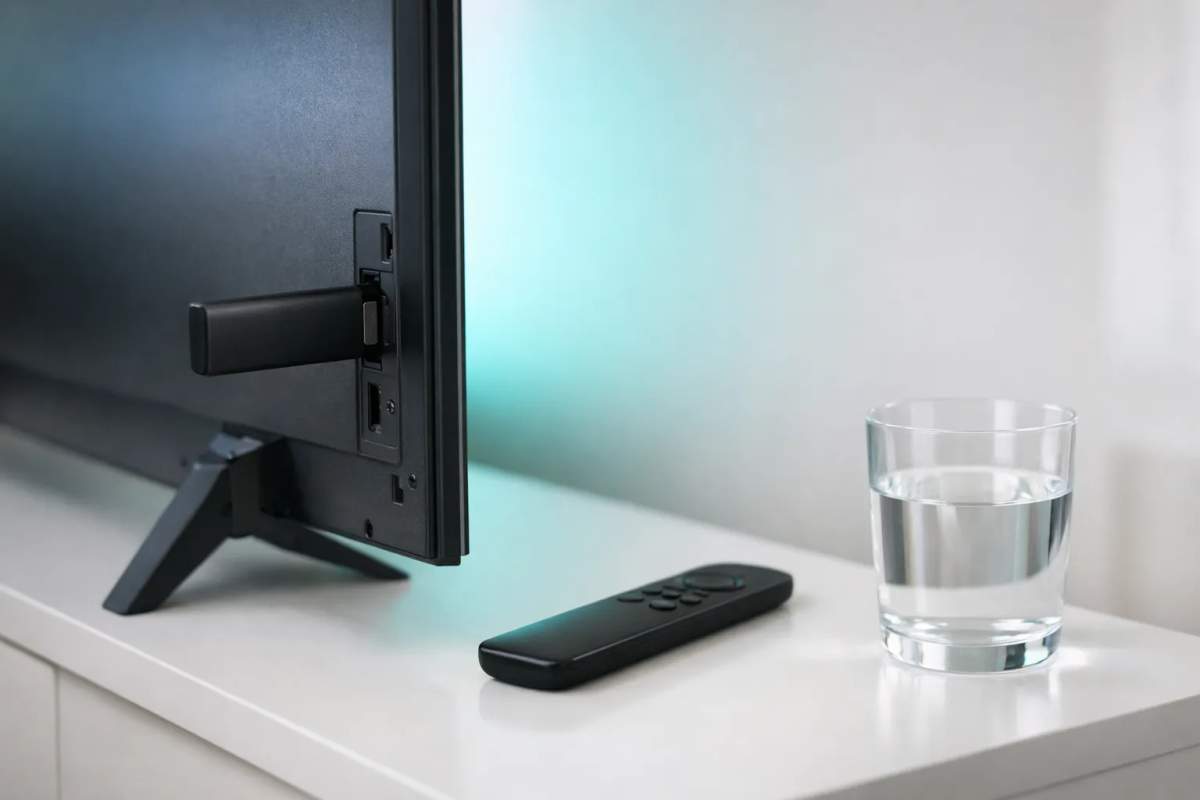
TiviGlass is an IPTV player for Fire TV, Android TV, Google TV and Android phones from Obsidaby, a small UK studio. It plays a subscription you bring, by Xtream Codes, Stalker or M3U login, and includes no channels. It isn't in Google Play, the Amazon Appstore or the App Store: the developer says it distributes the app only from tiviglass.com. The free version covers live TV, the guide and catch-up; paid plans add recording, multi-view and more, after a 7-day trial with no card.
Vivimate sells IPTV subscriptions, not players, and has no tie to Obsidaby. We read the developer's pages on November 25, 2026 and did not install the app, so this guide reports what the developer says rather than how it plays.
What TiviGlass is
The TiviGlass home page says the app "does not host or provide any channels, films or shows", and the setup guide calls it "A player only: no channels, playlists or content". Its about page names the maker as Obsidaby, a UK sole-trader studio.
There are two interfaces. TiviGlass has a side menu and TiviGlass² a menu bar along the top; you can install both and keep whichever you prefer.
Where it comes from, and why that matters
Most players are installed from an app store, which checks the developer and signs the copy. TiviGlass is not. The FAQ says the real app is distributed only from tiviglass.com and warns that "Copies on other sites can be modified." The streaming-tutorial site TROYPOINT likewise notes that it is "not available in the popular app stores (Google Play & Amazon)".
So if you use it, the developer's own website is the only source it endorses. A copy from a file-sharing page or a video description may not be the developer's build. This page doesn't link to any download.
Two habits reduce the risk. Type the address yourself rather than following a link from a video or forum, and check that the page you land on is tiviglass.com before you download anything. TROYPOINT reported that its own malware scan of the app file came back clean; that is one site's check of one version, so it doesn't replace getting the file from the developer.
Support comes from the developer, not from your IPTV provider. The site lists a support hub, help sessions inside the app, the FAQ, and Discord and Telegram communities. Questions about channels, logins or a server that won't load still go to whoever sold you the subscription, because the player only displays what that service sends.
Devices it runs on
According to the FAQ it runs on Fire TV devices with Fire OS 6 or newer, on Android TV and Google TV, including Nvidia Shield, and on Android phones and tablets from Android 6.0. The about page rules out Vega OS, Samsung's Tizen and LG's webOS. iPhone and Apple TV aren't mentioned. Newer Fire TV sticks run Vega OS, so check your model first; our Firestick guide explains how.
Free vs paid features
The free player is fuller than many: live TV with a now-and-next guide, catch-up, films and shows, profiles, PIN locks, a Kids mode, hiding and renaming channels, and favourites. Paid plans add recordings and series recording, a Sports Hub, multi-view, cloud sync and backup, handing a stream to an external player, add-ons, live AI captions and a feature the developer calls Fusion, which switches automatically to another channel source when one fails.
Prices and the trial
The developer's pricing page showed our reader UK prices and says buyers see their local currency.
| Plan | UK price (developer) | US price (TROYPOINT) | Billing |
|---|---|---|---|
| Free | £0 | $0 | "Free for good" |
| Essentials | £24.99 | $34.99 | One payment |
| Premium Yearly | £19.99 | $27.99 | Each year, renews |
| Premium Lifetime | £39.99 | $54.99 | One payment |
The trial gives 7 days of the full app without a card, one per TV or email address, after which the app falls back to the free player. Paid plans need a free account, and one account covers up to five devices, with more available. You pay with Stripe on a phone or computer after scanning a QR code on the TV.
Read the refund rule before choosing the yearly plan. The developer considers refunds within 14 days for duplicate charges or billing errors only, and yearly plans are not refunded once charged. Since the trial is free and runs a full week, use it to decide.
Setting up TiviGlass with an IPTV login
The developer's guide gives this order:
- Sign in or continue as a guest. Signing in with your phone makes later purchases and syncing easier.
- Add your provider as a playlist. Choose Xtream Codes, Stalker or M3U and enter the details your provider sent.
- Wait for the import. The catalogue of channels, films and series loads the first time.
- Add a guide source if your provider didn't include one.
- Set up the household. Create profiles, a PIN and your audio and subtitle languages.
If you are new to login types, our Xtream Codes setup guide explains the fields.
Limits the developer states
- Catch-up works only where your provider keeps an archive.
- Multi-view needs a plan that allows several connections at once; our page on IPTV multiple connections explains how they're counted.
- Buffering, the FAQ says, is usually the provider or the connection, not the player.
- Renewal prices for buyers outside the UK can change with exchange rates.
TiviGlass and other players
If you want a store-installed player instead, TiviMate is the usual choice on Android TV and Google TV; our comparison of Fast Player and TiviMate shows how two popular ones differ. IPTV Player Zero is another one-time-purchase player installed from its developer's site on TVs. The IPTV players comparison puts features side by side.
Using a Vivimate login in TiviGlass
A Vivimate subscription comes with an M3U link, and the login is available in M3U · MAG · Enigma2 formats, so it goes into TiviGlass's M3U option. Plans include EPG + catch-up TV on channels that support it, which TiviGlass's free tier can show. You can test both together before paying for either: TiviGlass has its 7-day trial, and our free trial lasts 24 hours with no credit card, on the same server and channel list as a paid plan. A month for one device is $19.99. Try the Vivimate free trial, compare Vivimate plans, or start at vivimate.tv.
Frequently asked questions
Is TiviGlass free?
Yes, a free version stays free and includes live TV, the guide and catch-up. Paid plans add recording, multi-view and other features.
Is TiviGlass on the Amazon Appstore?
No. The developer distributes it only from tiviglass.com, and TROYPOINT also reports it isn't in Google Play or the Amazon Appstore.
Does TiviGlass work on Samsung or LG TVs?
No. The developer lists Samsung Tizen and LG webOS as unsupported, along with Vega OS Fire TV devices.
Does TiviGlass come with channels?
No. It is a player only; you add a login from an IPTV provider.
Sources
Read November 25, 2026: tiviglass.com home, about, FAQ, guide, pricing and refund pages; TROYPOINT's TiviGlass article for US prices.
Stream Everything with Vivimate
55,000+ live channels · Up to 4K UHD · No contract · From $19.99/month